Showing posts with label source code. Show all posts

Friday, May 25, 2012

PHP Convert String SEO Friendly

PHP Convert String SEO Friendly
This tutorial explains how to create SEO friendly URL using PHP. Friendly URLs improves your site's search engines ranking. To make a SEO friendly URL a string must be sanitized for certain things like...
  • URL should be in lower case
  • All spaces should be replaced with a dash or hyphen (-)
  • URL must only contains letters and numbers.
  • NO HTML is allowed.

I found a very quick and clean way to do this.
function Make_SEO_Friendly_URL($string)
{
  // replace all non letters or digits with -
  $string = preg_replace('/\W+/', '-', $string);

  // trim and lowercase
  $string = strtolower(trim($string, '-'));
  return $string;
}

Example

$string="making String SEO Friendly with PHP is easy, isnt?";

echo Make_SEO_Friendly_URL($string);

//OUTPUT
making-string-seo-friendly-with-php-is-easy-isnt
Continue Reading...

Thursday, March 29, 2012

Extjs 4 Hello World Tutorial

Extjs is a free and open source javascript library used for building rich internet application. Extjs is compatible with almost all major modern browsers. Extjs can be used with jQuery so there is no need to replace jQuery at the same time you can do almost everything with Extjs too. One very interesting feature of Extjs is that is comes with a very beautiful skin/theme.

Getting started is easy, as we will see in this tutorial, we need to include a CSS file and a javascript library and we are good to go with Extjs.

Out of many ways of getting Extjs, one way is to Click Here and download latest version of it, another way is to use hosted CDN. We will use the second option because it will save bandwidth and improve loading time. We are going to use googlecode.

// CSS File

<link rel="stylesheet" type="text/css" href="http://extjs-public.googlecode.com/svn/extjs-4.x/release/resources/css/ext-all.css" />

// javascript File

<script type="text/javascript" src="http://extjs-public.googlecode.com/svn/extjs-4.x/include/ext-all.js"></script>

Now lets greet our user with a simple popup.
<script type="text/javascript">

// Make sure all libraries are loaded.

Ext.onReady(function(){

// Extjs Message Box

 Ext.Msg.show({
  title: "Greeting Extjs User",
  msg: "Hello World, Welcome to Extjs. Isn't Cool?",
  icon: Ext.Msg.INFO,
  buttons: Ext.MessageBox.OK
 });
});
</script>
Save the file as index.html and run it in your browser and you will get something like this...


I very much like the skin/theme provided by Extjs. There are other themes too which I will show you in coming tutorials.

Full Source Code

<!DOCTYPE html PUBLIC "-//W3C//DTD XHTML 1.0 Transitional//EN" "http://www.w3.org/TR/xhtml1/DTD/xhtml1-transitional.dtd">
<html xmlns="http://www.w3.org/1999/xhtml">
<head>
<meta http-equiv="Content-Type" content="text/html; charset=utf-8" />
<title>Extjs 4 Hello World Tutorial</title>

<link rel="stylesheet" type="text/css" href="http://extjs-public.googlecode.com/svn/extjs-4.x/release/resources/css/ext-all.css" />

<script type="text/javascript" src="http://extjs-public.googlecode.com/svn/extjs-4.x/include/ext-all.js"></script>

<script type="text/javascript">
Ext.onReady(function(){
 Ext.Msg.show({
  title: "Greeting Extjs User",
  msg: "Hello World, Welcome to Extjs. Isn't Cool?",
  icon: Ext.Msg.INFO,
  buttons: Ext.MessageBox.OK
 });
});

</script>
</head>

<body>
</body>
</html>
Continue Reading...

Monday, January 2, 2012

CSS Rounded Corners Example

CSS Rounded Corners Example
The CSS3 border-radius property allows web developers to easily utilise rounder corners in their design elements, without the need for corner images or the use of multiple div tags, and is perhaps one of the most talked about aspects of CSS3. It offers a clean and easy way of adding rounded corners to elements on the page. The rounded corner look can be applied to any or all four corners of an element, and even works with elements with a background image. Now it works in all browser so it is cross browser compatible.

Syntax

border-radius: top-left, top-right, bottom-right, bottom-left;
The four values for each radii are given in the order top-left, top-right, bottom-right, bottom-left. If bottom-left is omitted it is the same as top-right. If bottom-right is omitted it is the same as top-left. If top-right is omitted it is the same as top-left.

Examples

border-radius: 15px;

Tutorial Jinni

you can also use it like this
border-bottom-right-radius:15px;
border-top-left-radius:15px;

Tutorial Jinni

or you can individually assign radius to all the four corners.
border-bottom-right-radius:15px;
border-top-left-radius:15px;
border-top-right-radius:5px;
border-bottom-left-radius:5px;

Tutorial Jinni

Continue Reading...

Monday, November 28, 2011

Youtube Video Thumbnail Image

If you use YouTube to stream your videos, it will be a good idea to show users some thumbnail of the videos, so that there interest might increased. Fortunately YouTube provide five different thumbnails of each video. You really dot not have to store it on your server just call it directly from YouTube, all you need is your video id and the following YouTube Video Thumbnail URL.


http://img.youtube.com/vi/YouTube-Video-ID-HERE/0.jpg


http://img.youtube.com/vi/YouTube-Video-ID-HERE/1.jpg
http://img.youtube.com/vi/YouTube-Video-ID-HERE/2.jpg
http://img.youtube.com/vi/YouTube-Video-ID-HERE/3.jpg


http://img.youtube.com/vi/YouTube-Video-ID-HERE/hqdefault.jpg

simple isn't it!
Continue Reading...

Friday, November 25, 2011

CharAt in PHP

If you want to get a character from a string at a given index using PHP, first thing which come in mind to most javascript or java developers is charAt() function or method, but in PHP there is not such method. Which is a surprise to me, i googled for a while and find out no such methods exist, however we can very easily create one.

so here it is.
    public function charAt($string,$index){
        return $string{$index};
    }
That is all folks!
Continue Reading...

Monday, April 4, 2011

Yammer API Example

yammer api php example
Yammer is an enterprise social network service that was launched in September 2008.Unlike Twitter, which is used for broadcasting messages to the public, Yammer is used for private communication within organizations or between organizational members and pre-designated groups, making it an example of enterprise social software. Yammer originally launched as an enterprise micro blogging service and has evolved to become a fully-fledged enterprise social network.

Yammer Offer its API to create personalized yammer applications for mobile phones and desktop, to in this tutorial we will make and application, authorize it and access data from user profile. To access data from yammer api one passed from following steps
  1. Register your Application on Yammer and get Application Secret and Application Key.
  2. Then get Token and Token secret from above data.
  3. Then Authorize your application using the token and get the Auth Code.
  4. Then Auth Code, token and token get the access token and access token secret.
  5. Finally get Data from the user profile.
And now get all the obvious stuff out of the way and let the code talk :) i made a small application demonstrating said steps.

yammer php api demo
Click on Image for full size

and the code...
<?php
error_reporting(0);

require_once 'common.inc.php';
require_once 'Yammer.php';
$appKey="YOUR APP KEY HERE";
$appSec="YOUR APP SECRET HERE";
$token="";
$tokenSec="";
$authcode="";
$accessToken="";
$accessTokenSec="";

$b=false;
if(isset ($_POST["isSubmit"])){

    $appKey=$_POST["appkey"]==""?"YOUR APP KEY HERE":$_POST["appkey"];
    $appSec=$_POST["appsec"]==""?"YOUR APP SECRET HERE":$_POST["appsec"];
    $token=$_POST["token"];
    $tokenSec=$_POST["tokensec"];
    $authcode=$_POST["authcode"];
    $accessToken=$_POST["accessToken"];
    $accessTokenSec=$_POST["accessTokenSec"];

    $test_consumer = new OAuthConsumer($appKey, $appSec, NULL);

    if(isset ($_POST["reqtoken"])){
        
        $endpoint="https://www.yammer.com/oauth/request_token";
        
        $req_req = OAuthRequest::from_consumer_and_token($test_consumer, NULL, "GET", $endpoint, null);
        $req_req->sign_request($plaintext_method , $test_consumer, NULL);

        $data=getContents($req_req->to_url());

        $data=  explode("&", $data);
        $token= str_replace("oauth_token=", "", $data[0]);
        $tokenSec= str_replace("oauth_token_secret=", "", $data[1]);
        $b=true;
    }
    if(isset ($_POST["acctoken"])){
        
        $endpoint="https://www.yammer.com/oauth/access_token";
        $param=Array('oauth_verifier'=>"$authcode");

        $test_token = new OAuthConsumer($token, $tokenSec);

        $acc_req = OAuthRequest::from_consumer_and_token($test_consumer, $test_token, "GET", $endpoint, $param);
        $acc_req->sign_request($plaintext_method, $test_consumer, $test_token);

        $data=getContents($acc_req->to_url());
        $data=  explode("&", $data);
        $accessToken= str_replace("oauth_token=", "", $data[0]);
        $accessTokenSec= str_replace("oauth_token_secret=", "", $data[1]);

    }
    if(isset ($_POST["getData"])){
        $obj=new Arc90_Service_Yammer($appKey, $appSec , $accessToken, $accessTokenSec, 10);
        $json=json_decode($obj->getMessagesAll());
        $k =count($json->messages);
        echo "

Messages Retrived via API

    "; for( $i=0;$i<$k;$i++){ echo "
  1. ".$json->messages[$i]->body->plain."
  2. "; } echo "
"; } } function getContents($url){ $ch = curl_init(); curl_setopt($ch, CURLOPT_URL, $url); curl_setopt($ch, CURLOPT_SSL_VERIFYPEER, false); curl_setopt($ch, CURLOPT_SSL_VERIFYHOST, false); curl_setopt($ch, CURLOPT_RETURNTRANSFER, 1); $data = curl_exec($ch); echo curl_error($ch); curl_close($ch); return $data; } ?>
and the html code ...
<!DOCTYPE html PUBLIC "-//W3C//DTD XHTML 1.0 Transitional//EN" "http://www.w3.org/TR/xhtml1/DTD/xhtml1-transitional.dtd">
<html xmlns="http://www.w3.org/1999/xhtml">
<head>
<style type="text/css">
input{
 font-size:24px;
 color:#666;
}
body {
font-size:20px;
font-family: Verdana,Arial,Helvetica,sans-serif;

}
.style7 {
 color: #990033;
 font-weight: bold;
}
</style>
<meta http-equiv="Content-Type" content="text/html; charset=iso-8859-1" />
<title>Yammer OAuth & API Test -  Originative Systems</title>
</head>

<body>
    <form action="" method="post">
<table width="100%" border="1" style="border-collapse:collapse; border:solid 2px outset" cellpadding="8" cellspacing="5">
  <tr>
    <td colspan="5"><span class="style7">Yammer OAuth & API Test</span> </td>
  </tr>
  <tr>
    <td width="25%"><div align="right">Application Key : </div></td>
    <td width="75%" colspan="4"><label>
      <input name="appkey" type="text" value="<?php echo $appKey; ?>" id="appkey" size="40" />
    </label></td>
  </tr>
  <tr>
    <td><div align="right">Application Secrect : </div></td>
    <td colspan="4"><label>
      <input name="appsec" type="text" value="<?php echo $appSec; ?>" id="appsec" size="40" />
    </label></td>
  </tr>
  <tr>
    <td><div align="right">Token : </div></td>
    <td colspan="4"><label>
      <input name="token" type="text" value="<?php echo $token; ?>" id="token" size="40" />
    </label></td>
  </tr>
  <tr>
    <td><div align="right">Token Secrect : </div></td>
    <td colspan="4"><label>
      <input name="tokensec" type="text" value="<?php echo $tokenSec; ?>" id="tokensec" size="40" />
      </label>
      <?php if($b){
         echo "<INPUT type='button' value='Authorize Request' onClick=\"window.open('https://www.yammer.com/oauth/authorize?oauth_token=$token','Authorize Yammer Request','width=500,height=500')\"> ";
      }
      ?>
    </td>
  </tr>
  <tr>
    <td><div align="right">Auth Code : </div></td>
    <td colspan="3"><label>
      <input name="authcode" type="text" value="<?php echo $authcode; ?>" id="token" size="4"  />
    </label></td>
  </tr>
  <tr>
    <td><div align="right">Access Token : </div></td>
    <td colspan="4"><label>
      <input name="accessToken" type="text" value="<?php echo $accessToken; ?>" id="token" size="40" />
    </label></td>
  </tr>
  <tr>
    <td><div align="right">Access Token Secret : </div></td>
    <td colspan="4"><label>
      <input name="accessTokenSec" type="text" value="<?php echo $accessTokenSec; ?>" id="token" size="40" />
    </label></td>
  </tr>
  <tr>
    <td> </td>
    <td align="center"><label>
      <input name="reqtoken" type="submit" id="reqtoken" value="Request Token" />
    </label>
    </td>
    <td align="center"><label>
      <input name="acctoken" type="submit" id="acctoken" value="Access Token" />
    </label></td>
    <td align="center"><label>
      <input name="getData" type="submit" id="acctoken" value="Get Data" />
    </label></td>
  </tr>
</table>
        <input type="hidden" name="isSubmit" value=""/>
    </form>
</body>
</html>
just run it and you will understand it, there nothing left to explain after source code, download netbeans project with all the files used and enjoy :)

download yammer api
Download Yammer API Example

Continue Reading...

Wednesday, March 16, 2011

HTML to PDF - PHP Tutorial

Generating PDF from HTML using PHP is fairly simple and easy using HTML2FPDF

Lets get straight to point, who has time to read and "write" the obvious stuff :P

here is the Simplest code to create HTML to PDF using PHP... First the HTML we want to convert to PDF
<table width='500px' border='1' cellpadding='0' cellspacing='0' style=' border-collapse:collapse;'>
      <tr>
 <td colspan='2' align='left'> Jhon Doe <br>
     Some where on earth :) <br>
     email@domain.com <br>
 </td>
      </tr>
      <tr>
 <td width='75%' align='center'>Description</td>
 <td width='25%' align='center' valign='middle'>Price</td>
      </tr>
       <tr>
  <td align='left'>Some purchased items</td>
  <td align='center' valign='middle'>$ 100.00</td>
       </tr>

       <tr>
  <td align='left'>Another purchased items</td>
  <td align='center' valign='middle'>$ 55.00</td>
       </tr>

       <tr>
  <td align='left'>Another purchased items</td>
  <td align='center' valign='middle'>$ 35.00</td>
       </tr>

       <tr>
  <td align='left'>Another purchased items</td>
  <td align='center' valign='middle'>$ 123.00</td>
       </tr>

       <tr>
  <td align='left'>Yet Another purchased items</td>
  <td align='center' valign='middle'>$ 307.00</td>
       </tr>

       <tr>
  <td align='left'>Another purchased items</td>
  <td align='center' valign='middle'>$ 342.00</td>
       </tr>
     <tr>
 <td align='right'>Total Amount</td>
 <td align='center' valign='middle'>$ 962</td>
      </tr>
      <tr>
 <td align='right'>Advance</td>
 <td align='center' valign='middle'>$ 0.00</td>
      </tr>
      <tr>
 <td align='right'>Total Payable Amount:</td>
 <td align='center' valign='middle'>$ 962</td>
      </tr>
    </table>
Now the PHP code to do the work done
<?php
require('html2fpdf.php');

$name="print_".time().".pdf";
// $name name of the PDF generated.

$html=getHTML();
// getHTML() function will return the above mention HTML

$pdf=new HTML2FPDF();
$pdf->AddPage();
$pdf->WriteHTML($html);

$re=$pdf->Output($name,"D");

// Genrate PDF, There few Options
// 1. D => Download the File
// 2. I => Send to standard output
// 3. F => Save to local file
// 4. S => Return as a string

?>

Image Integration

Its is very easy to integrate images in the PDF, the only thing required is that use absolute path for images, relative path of an image throws an exception.

Example

There many Other options which can be used...
Image Example HTML Page

Test #1 - RTF-like text. Click here for results.

Test #2 - Links,Colors,Forms. Click here for results.

Test #3 - Table. Click here for results.

Test #4 - CSS. Click here for results.

Test #6 - P,DIV tests. Click here for results.

A real HTML page. Click here for results.

Download

Download all the requried items from below...
html to PDF using PHP
HTML to PDF - PHP Tutorial
Continue Reading...

Sunday, January 30, 2011

JAVA Socket Programming Tutorial

This example introduces you to Java socket programming. The server listens for a connection. When a connection is established by a client. The client can send data. In the current example the client sends the message "Hi my server". To terminate the connection, the client sends the message "bye". Then the server sends the message "bye" too. Finally the connection is ended and the server waits for an other connection. The two programs should be runned in the same machine. however if you want to run them in two different machines, you may simply change the adress "localhost" by the IP adress of the machine where you will run the server.

The Server

import java.io.*;
import java.net.*;
public class Provider{
    ServerSocket providerSocket;
    Socket connection = null;
    ObjectOutputStream out;
    ObjectInputStream in;
    String message;
    Provider(){}
    void run()
    {
        try{
            //1. creating a server socket
            providerSocket = new ServerSocket(2004, 10);
            //2. Wait for connection
            System.out.println("Waiting for connection");
            connection = providerSocket.accept();
            System.out.println("Connection received from " + connection.getInetAddress().getHostName());
            //3. get Input and Output streams
            out = new ObjectOutputStream(connection.getOutputStream());
            out.flush();
            in = new ObjectInputStream(connection.getInputStream());
            sendMessage("Connection successful");
            //4. The two parts communicate via the input and output streams
            do{
                try{
                        message = (String)in.readObject();
                        System.out.println("client>" + message);
                        if (message.equals("bye"))
                                sendMessage("bye");
                }
                catch(ClassNotFoundException classnot){
                        System.err.println("Data received in unknown format");
                }
            }while(!message.equals("bye"));
        }
        catch(IOException ioException){
                ioException.printStackTrace();
        }
        finally{
            //4: Closing connection
            try{
                    in.close();
                    out.close();
                    providerSocket.close();
            }
            catch(IOException ioException){
                    ioException.printStackTrace();
            }
        }
    }
    void sendMessage(String msg)
    {
        try{
                out.writeObject(msg);
                out.flush();
                System.out.println("server>" + msg);
        }
        catch(IOException ioException){
                ioException.printStackTrace();
        }
    }
    public static void main(String args[])
    {
        Provider server = new Provider();
        while(true){
                server.run();
        }
    }
}


The Client

import java.io.*;
import java.net.*;
public class Requester{
    Socket requestSocket;
    ObjectOutputStream out;
    ObjectInputStream in;
    String message;
    Requester(){}
    void run()
    {
        try{
            //1. creating a socket to connect to the server
            requestSocket = new Socket("localhost", 2004);
            System.out.println("Connected to localhost in port 2004");
            //2. get Input and Output streams
            out = new ObjectOutputStream(requestSocket.getOutputStream());
            out.flush();
            in = new ObjectInputStream(requestSocket.getInputStream());
            //3: Communicating with the server
            do{
                    try{
                            message = (String)in.readObject();
                            System.out.println("server>" + message);
                            sendMessage("Hi my server");
                            message = "bye";
                            sendMessage(message);
                    }
                    catch(ClassNotFoundException classNot){
                            System.err.println("data received in unknown format");
                    }
            }while(!message.equals("bye"));
        }
            catch(UnknownHostException unknownHost){
                    System.err.println("You are trying to connect to an unknown host!");
            }
            catch(IOException ioException){
                    ioException.printStackTrace();
            }
            finally{
                //4: Closing connection
                try{
                        in.close();
                        out.close();
                        requestSocket.close();
                }
                catch(IOException ioException){
                        ioException.printStackTrace();
                }
            }
    }
    void sendMessage(String msg)
    {
        try{
                out.writeObject(msg);
                out.flush();
                System.out.println("client>" + msg);
        }
        catch(IOException ioException){
                ioException.printStackTrace();
        }
    }
    public static void main(String args[])
    {
            Requester client = new Requester();
            client.run();
    }
}
Continue Reading...

Sunday, January 2, 2011

Installing PHP APC on Linux

APC or Alternative PHP Cache in an open source framework for caching, what APC do it basically parse you PHP files into an efficient binary format so that when ever a page is requested it does parse by the PHP parser again and again, by doing so we basically reduce time to load a page and increase our efficiency.
Installation of APC can be very tricky and simple as well (for me it was tricky :) ), to install APC on you server you must have the access of root, and if your server is on some remote location you must have putty to communicate with the server.
Are you ready to go with the putty? OK good , lets start our installation, First we need to download APC issue the command.
$ wget http://pecl.php.net/get/APC
it will download a file APC-3.0.16.tgz which is the latest version yet, now we extract the file
$ tar -zxf APC-3.0.16.tgz
change the directory
$ cd APC-3.0.16
next we required PHP development packages, if you have it then its great if not then install it too
yum install php-devel
then issue a commad
$ phpize
now run the configuration for APC by issuing the command
./configure --enable-apc --enable-apc-mmap --with-apxs --with-php-config=/usr/bin/php-config
here you must know where is the php-config file is, if you do not know it locate it using $ whereis php-config and assign it to --with-php-config parameter, now we need to make the packages, we have to issue two more command
$ make
$ make install
and then we have to restart the server to make it to use latest PHP configuration, to restart apache, issue following command
/etc/init.d/httpd restart
to make sure it is install correctly copy the below mention script and put in a file say, phpinfo.php and run it
<php
phpinfo();
?>
APC comes with a file apc.php copy that file in the root of your website and run it, http://www.example.com/apc.php , you will be able to a see a page similar to this, you can also password protect it.
Installing PHP APC on Linux
Continue Reading...

Wednesday, October 13, 2010

Hospital Management System Software

This Free Hospital Management System Software is developed in Microsoft Office's Access Database you just need to have Microsoft Office installed.

ERD

Continue Reading...

Wednesday, September 29, 2010

Library Management System Software

This Free Library Management System is developed in Microsoft Office's Access Database you just need to have Microsoft Office installed.

The scope of the current project is to:
  • Centralization of the Data
  • Accuracy of the Data
  • Storage of the Data for a long Time
  • Easy access to Data every time
  • To reduce the Data-Redundancy
The Entity Relationship Diagram (ERD) of the project is as follows.
library management system database erd
Download it and use it ...
Continue Reading...

Sunday, September 26, 2010

Zoom Image in Java

In an organization there are many enterprise java or normal java application that includes images to display, for that one can easily put an image in jPanel or draw it on a Canvas... but to zoom that in to get the most details or highlight some important parts of image... i had been in a similar situation couple of days back... i ask my friend Google for it... it does not give me any pure solution to my problem but it gives me clues which were very helpful and i was able to complete that application in time and get appreciation from my boss as well :) ... now i want to share my Zoom Utility with the world.

it is very simple and easy ... first i get the images, which is a screen shot basically, using java's built in Class Robot and paint it in a JFrame and just scale that image ... i use a screen shot of the screen as that was my requirement you can also create an image from a file ... for that
// remove this portion ...
Robot r= new Robot();
Rectangle rect = new Rectangle(0,0,d.width,d.height);
img = r.createScreenCapture(rect);

// with this...
img=Toolkit.getDefaultToolkit().getImage("PATH_TO_IMAGE");

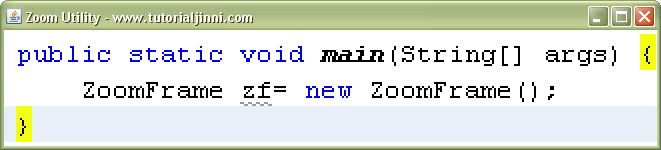
my zoom application will look like something like that ... ofcourse it is not the original application :)

zoom image java

left click will trigger zoom-in function and right click will trigger zoom-out function... the complete code of my Zoom application was somthing like this

Source Code

class ZoomFrame extends JFrame implements WindowListener, ComponentListener,MouseListener  {
    Image img;
    boolean bo = true;
    static double amount=2;

    public ZoomFrame(){
        setSize(150,150);
        setVisible(true);
        setTitle("Zoom Utility - www.tutorialjinni.com ");
        capture();
        addMouseListener(this);
        addWindowListener(this);
        addComponentListener(this);
    }
    public void capture(){
        Dimension d = Toolkit.getDefaultToolkit().getScreenSize();
        try {
            Robot r= new Robot();
            Rectangle rect = new Rectangle(0,0,d.width,d.height);
            img = r.createScreenCapture(rect);
            /*
            *  You can also put here image like...
            *  img=Toolkit.getDefaultToolkit().getImage("PATH_TO_IMAGE");
            */
        }
        catch(Exception e) {
            System.out.println(e);
        }
    }
    @Override
    public void paint(Graphics g){
        Graphics2D g2=(Graphics2D)g;
        g2.scale(amount,amount);
        g2.drawImage(img,0,0,getWidth(),getHeight(),getX(),getY(),getX()+getWidth(),getY()+getHeight(),this);

    }
    @Override
    public void update(Graphics g){
        paint(g);
    }
    public void windowClosing(WindowEvent we){
        this.dispose();
        //System.exit(0);
    }

    void zoomIn(){
        amount=amount+.5;
        repaint();
    }
    void zoomOut(){
        if(amount>1){
           amount=amount-.5;
        }
        repaint();
    }
    public void windowClosed(WindowEvent we){
        //setVisible(false);
        System.exit(1);
    }
    public void windowOpened(WindowEvent we){}
    public void windowIconified(WindowEvent we){}
    public void windowDeiconified(WindowEvent we){}

    public void windowActivated(WindowEvent we){
        if (bo == false){
            setVisible(false);
            capture();
            bo = true;
            setVisible(true);
        }
        else{
            bo = false;
        }
    }

    public void windowDeactivated(WindowEvent we){

    }

    public void componentMoved(ComponentEvent ce){
        repaint();
    }

    public void componentHidden(ComponentEvent ce){

    }
    public void componentShown(ComponentEvent ce){}
    public void componentResized(ComponentEvent ce){}

    public void mouseClicked(MouseEvent e) {
        switch(e.getModifiers()){
            case InputEvent.BUTTON1_MASK:{
                zoomIn();
                break;
            }
            case InputEvent.BUTTON3_MASK:{
                zoomOut();
                break;
            }
        }
    }

    public void mousePressed(MouseEvent e) {
       // throw new UnsupportedOperationException("Not supported yet.");
    }

    public void mouseReleased(MouseEvent e) {
       // throw new UnsupportedOperationException("Not supported yet.");
    }

    public void mouseEntered(MouseEvent e) {
        //throw new UnsupportedOperationException("Not supported yet.");
    }

    public void mouseExited(MouseEvent e) {
        //throw new UnsupportedOperationException("Not supported yet.");
    }
}
you can also download a Netbeans Project so can start working immediately ...

Continue Reading...

Wednesday, August 25, 2010

Authenticated Mail using PHP

Sending mail in PHP is a generally a piece of cake every basic book or tutorial tell you a very simple PHP mail function to send email, although it send mail to whom ever you intended to send it, but there is a little problem in it that mail which is send by the php function below generally not go into the "inbox" of the intended receiver instead it goes in "junk" folder and so your receiver may be unaware of your message.

<?php
   mail(to,subject,message,headers,parameters);
?>

The solution to the above mention problem is to send an authenticated mail (if you want to learn more about what is authenticated mail wikipedia explains it nicely). When you Google the solution you will find a PEAR library that do that job, what if you don't have PEAR installed, i find a solution which really works for me, you want two thing for this
  1. SMTP Server
  2. PHP Mailer Class form http://phpmailer.sourceforge.net

i used Google SMTP server to send authenticated mail using PHP, the code i use is as follows

<?php
if(isset($_POST["submit"])){

 date_default_timezone_set('America/Toronto');

 require_once('class.phpmailer.php');

 $body=$_POST["msg"];
 $address = $_POST["to"];
 
 $mail             = new PHPMailer();
 $mail->IsSMTP(); 
 $mail->SMTPDebug  = 2;                     
 $mail->SMTPAuth   = true;                  
 $mail->SMTPSecure = "ssl";                 
 $mail->Host       = "smtp.gmail.com";      
 $mail->Port       = 465;                   
 $mail->Username   = "youremail@gmail.com"; 
 $mail->Password   = "SECRETPASSWORD";      
 $mail->SetFrom('youremail@gmail.com', 'DISPLAY_NAME');
 $mail->AddReplyTo("youremail@gmail.com","DISPLAY_NAME");
 $mail->Subject    = $_POST["subject"];
 $mail->AltBody    = "To view the message, please use an HTML compatible email viewer!";
 $mail->MsgHTML($body);
 $mail->AddAddress($address,$_POST["to"]);

 if(!$mail->Send()) {
   echo "Mailer Error: " . $mail->ErrorInfo;
 }
 else {
   echo "Message sent!";
 }
}
?>

HTML form for this is

<!DOCTYPE html PUBLIC "-//W3C//DTD XHTML 1.0 Transitional//EN" "http://www.w3.org/TR/xhtml1/DTD/xhtml1-transitional.dtd">
<html xmlns="http://www.w3.org/1999/xhtml">
<head>
<meta http-equiv="Content-Type" content="text/html; charset=utf-8" />
<title>Authenticated Mail Demo</title>
</head>

<body>
<form id="form1" name="form1" method="post" action="">
<table width="60%" height="229" border="0">
  <tr>
    <td align="right" valign="top">From : </td>
    <td>
      <input name="from" type="text" id="from" size="55" value="youremail@gmail.com" disabled="disabled" />    </td>
  </tr>
  <tr>
    <td align="right" valign="top">To : </td>
    <td><label>
      <input name="to" type="text" id="to" size="55" />
    </label></td>
  </tr>
  <tr>
    <td align="right" valign="top">Subject : </td>
    <td><input name="subject" type="text" id="subject" size="55" /></td>
  </tr>
  <tr>
    <td align="right" valign="top">Message : </td>
    <td><textarea name="msg" id="msg" cols="55" rows="5"></textarea></td>
  </tr>
  <tr>
    <td colspan="2" align="center" valign="middle"><input type="submit" name="submit" id="submit" value="Send Email" /></td>
    </tr>
</table>
</form>
</body>
</html>

you can download all source files and dependencies from below

authenticated email using php source code
Download Authenticated Email PHP Source Code

enjoy sending authenticated email and your customer never miss a mail from you :)
Continue Reading...

Sunday, August 22, 2010

Free Inventory Management Software

This Free Inventory Management Software is developed in Microsoft Office's Access Database you just need to have Microsoft Office installed.

The scope of the current project is to design the an inventory management system for Allied Engineering Limited.the System covers following functionalities

  • Display which order was place on which date so, that we can view its details
  • To check the stock quantity of any product so that it can be useful before taking orders and ultimately updating stock.
  • View all the records of outstation customers. In this we can have a better grip on customers.
  • To check the age group of employees
  • To check which customer has placed most orders so which one is our regular customer. It will provide us with all the required details of customers and orders.
  • Analyze our sales that which product is having more sales and which is having the greater customer demand.
  • To check late payments

and many others...

The Entity Relationship Diagram (ERD) of the project is as follows.

free inventory management software entity relationship diagram
Click ERD to enlarge it!

A screen shot of customer form of this inventory management system is attached so that you can get an early glimpse of how it is like :)

free inventory management system screen shot

you can download free inventory management software from the link below and you can edit and redistribute it.
download free inventory management software


This Post is a part of our initiative to help students to use these free software as a helping guide for there term project or for there general learning.
Continue Reading...

Wednesday, August 18, 2010

Increase Twitter Followers Using PHP

Twitter is blooming these days, as you see more and more peoples and companies are joining and sharing there thoughts and updates instantly on twitter.There are many twitter advertising companies that tweet there advertisement through your tweet account (obviously you have to sign up with them and give them access to your account).Any one who use twitter knows well the importance of followers the greater the followers the greater is the chance that your voice is get heard and greater is the chance you get more relevant advertisement and make more money while you tweet.

People usually follow those who have large number of followers, usually it is difficult to have a large twitter followers base in the beginning.

there are services on the internet that offer different packages to increase number of followers so why spend your hard earned money on them, In order to get you quickly on track you can make some fake twitter accounts, once you make them there is no need to open you each account and individually follow your base account (the account you want to be followed).

i had written a small PHP program some time ago that will do the job, here it is.

<?php

set_time_limit(0);

$YOUR_USERNAME="ACCOUNT_WISHED_TO_BE_FOLLOWED";

$IDS="some1@company.com,some2@company.com,some3@company.com";

$PASSWORD ="SECRET_PASSWORD";

$arr=explode("",$IDS);

$total_no_of_twitter_ids=count($arr);

for($i=0;$i<$total_no_of_twitter_ids;$i++){

 echo ($i+1)." : ".trim($arr[$i])." -> "; 
 echo twitter_api_follow($YOUR_USERNAME,$arr[$i],$PASSWORD); 
 sleep(2);

}

function twitter_api_follow($YOUR_USERNAME,$ID,$PASSWORD){

 $ch = curl_init("http://twitter.com/friendships/create/" . $YOUR_USERNAME . ".json");
 
 curl_setopt($ch, CURLOPT_USERPWD, $ID.":".$PASSWORD);
 
 curl_setopt($ch, CURLOPT_POST, 1);
 
 curl_setopt($ch, CURLOPT_POSTFIELDS,"follow=true");
 
 curl_setopt($ch, CURLOPT_RETURNTRANSFER, 1);
 
 $twitter_api_response = curl_exec($ch);
 
 return $twitter_api_response;

}

?>

if you are too lazy to write the code yourself you can download it form the link mentioned below.

Continue Reading...

Tuesday, August 17, 2010

Free Project Management Software

This free Project Management Software is developed in Microsoft Office's Access Database you just need to have Microsoft Office installed.

The scope of the current project is to design the database of one of the several processes of a software house. The main objectives of designing data base are as follows:

  • To keep records of projects.
  • To keep records about the employees.
  • To keep records about the sections and departments this relates with the Project Management Systems.


The Entity Relationship Diagram (ERD) of the project is as follows.

free project management software with source code and ERD


it has a pretty good interface just attaching a images so got an idea of it.

Free project management software screen shot


you can download it from the link below and you can edit and redistribute it.


This Post is a part of our initiative to help students to use these free software as a helping guide for there term project or for there general learning.
Continue Reading...

Sunday, August 15, 2010

Java Media Player ( MP3 Player )

Recently i was in a situation when i have to play mp3 in my java project, i google a bit and quickly found a solution, a pure java library namely JLayer by javazoom . i found i very interesting as it provide almost all functionality i wanted expect that i want a GUI for playing and pausing the media, much like a basic media player so i develop a small media player and i to share it as someone else might want it, so here is the code of the java media player.

import java.awt.*;
import java.awt.event.*;
import java.io.*;
import java.util.*;
import javax.swing.*;
import javazoom.jlgui.basicplayer.*;

class JavaMediaPlayer extends JPanel implements BasicPlayerListener{

private JProgressBar jpb;
private JButton play;
private BasicPlayer player=new BasicPlayer();;
private String imagePath="images/";
private static int p=0;
private static boolean playBoolean=true;

JavaMediaPlayer(){

setLayout(null);

player.addBasicPlayerListener(this);

play=new JButton(new ImageIcon(imagePath+"pause.png"));
play.setToolTipText("pause");play.setBounds(2,2,20,20);

play.addActionListener(new ActionListener(){
public void actionPerformed(ActionEvent ae){
if(playBoolean){
pausePlaying();
play.setToolTipText("Play");
play.setIcon(new ImageIcon(imagePath+"play.png"));
playBoolean=false;
return;
}
if(playBoolean==false){
resumePlaying();
play.setToolTipText("Pause");
play.setIcon(new ImageIcon(imagePath+"pause.png"));
playBoolean=true;
return;
}
}
});

jpb=new JProgressBar();
jpb.setBorderPainted(true);
jpb.setBounds(25,2,280,20);

add(play);
add(jpb);
}

public void startPlaying(String fileName){
try{
play.setIcon(new ImageIcon(imagePath+"pause.png"));
play.setToolTipText("Pause");
playBoolean=true;
player.open(new File(fileName));
player.play();//actually play file
}
catch(Exception d){
System.out.println(d);
}
}
private void pausePlaying(){
try{
player.pause();
}
catch(Exception e){
System.out.println(e);
}
}
private void stopPlaying(){
try{
player.stop();
jpb.setValue(0);
}
catch(Exception d){
System.out.println(d);
}
}
private void resumePlaying(){
try{
player.resume();
}
catch(Exception d){
System.out.println(d);
}
}

public void opened(Object arg0, Map map) {
String k=map.get("audio.length.frames").toString();
jpb.setMaximum(Integer.parseInt(k)-15);
}

public void progress(int arg0, long arg1, byte[] arg2, Map map) {
String s=map.get("mp3.frame").toString();
int k=(p-(Integer.parseInt(s))*(-1));
jpb.setValue(k);
}

public void stateUpdated(BasicPlayerEvent bpev) {
if(bpev.getCode()==BasicPlayerEvent.STOPPED){
// Something here
}
}
public void setController(BasicController arg0) {
// throw new UnsupportedOperationException("Not supported yet.");
}
}


and the initializing code of the above code for java media player is as follows you can use it as you want it, its just for demonstration.

import javax.swing.*;

class Main {

public static void main(String[] args) {
JFrame f=new JFrame();
JavaMediaPlayer jmp=new JavaMediaPlayer();
f.add(jmp);
f.setDefaultCloseOperation(3);
f.setVisible(true);
f.setSize(330,60);
f.setTitle("Java Media Player - Tutorial Jinni");
jmp.startPlaying("PATH_TO_MP3_FILE");
}
}


after you run it should be somewhat like this.

java media player

You can download a netbeans project, it contains all the libraries you want to make a java mp3 player.

download free java mp3 player

Download Sample Code

Continue Reading...
 

Blog Info

A Pakistani Website by Originative Systems

Total Pageviews

Tutorial Jinni Copyright © 2015 WoodMag is Modified by Originative Systems